A missing item, incorrect modifier, or misunderstood customer request can turn a simple restaurant order into a frustrating experience.
For restaurant owners, order errors mean more than unhappy customers. They can lead to wasted ingredients, additional preparation time, refunds, and unnecessary pressure on staff.
As order volumes increase, managing communication between front-of-house teams and the kitchen becomes even more important.
The solution starts with creating a clear, connected ordering workflow.
1. Stop Relying on Handwritten Order Notes
Handwritten tickets and verbal instructions can create confusion, especially during busy service periods.
Items may be difficult to read, modifiers can be missed, and important customer instructions may not reach the right preparation station.
Digital order management helps keep product details, quantities, modifiers, and customer notes together.
2. Keep Every Order in One Clear Dashboard
When orders arrive through different channels, staff may need to switch between screens or manually transfer information.
This increases the chance of overlooking an order or entering details incorrectly.
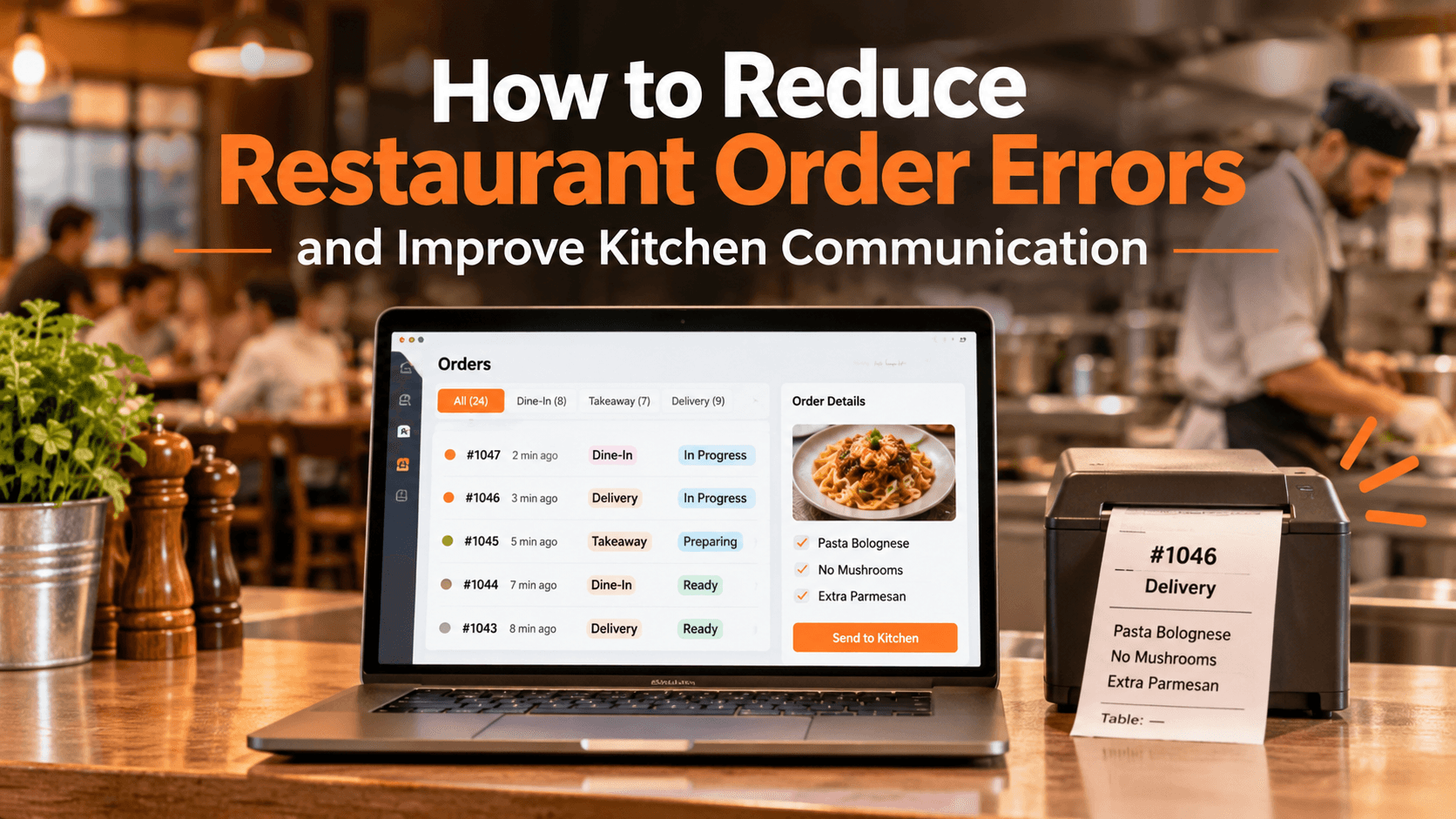
TabTake's Order Dashboard brings supported online, collection, delivery, and table orders into one operational view, helping restaurant teams review and manage incoming orders more clearly.
3. Make Modifiers and Special Instructions Visible
Customers often request changes such as removing ingredients, adding extras, or choosing specific preparation options.
If these details are unclear, the kitchen may prepare an order incorrectly.
Your ordering system should capture these choices with the relevant items and make them visible to the kitchen team.
TabTake's kitchen printing workflow supports product modifiers, removals, extras, and special instructions on kitchen tickets, helping teams prepare orders with the correct information.
4. Send Orders to the Right Kitchen Station
In restaurants with multiple preparation areas, sending every ticket to the same printer can slow down coordination.
For example, drinks, desserts, and hot meals may require different preparation stations.
With configured station-based kitchen printing, TabTake can route relevant accepted order items to the appropriate kitchen or preparation printer. <Cite refs={["turn186821search5"]}/>
This helps teams focus on the items they are responsible for preparing.
5. Connect QR Ordering With Kitchen Operations
Dine-in orders can become difficult to manage when staff must manually transfer customer selections into the kitchen workflow.
QR table ordering gives customers another way to submit orders directly from their phones.
TabTake connects table QR codes with the correct table reference, digital menu, Order Dashboard, and kitchen workflow. Orders can reach the kitchen without staff having to rewrite the customer's selections.
6. Keep Menu Information Accurate
Incorrect prices, outdated availability, or unclear product descriptions can create confusion before an order even reaches the kitchen.
Regularly review your menu and make sure item names, modifiers, prices, and availability are accurate across your ordering channels.
TabTake's Menu Management helps restaurants maintain products, pricing, modifiers, and availability through a central management workflow. <Cite refs={["turn186821search1","turn186821search3"]}/>
7. Review Errors and Improve Your Process
Reducing order mistakes requires more than introducing new software.
Encourage staff to review order details, follow consistent preparation procedures, and communicate clearly when an issue occurs.
Track recurring problems such as missing modifiers, incorrect items, and preparation delays. Understanding where mistakes happen makes it easier to improve the process.
What Should You Look for in Restaurant Order Management Software?
Before choosing a platform, check whether it supports:
Centralised incoming order management
Clear product and modifier details
Customer notes and order instructions
Kitchen ticket printing
Configurable preparation-station routing
Table-linked QR orders
Consistent menu management
Clear order status and fulfilment workflows
The right system should reduce unnecessary manual work and help your restaurant team manage orders with greater clarity.
Improve Your Restaurant's Order Workflow With TabTake
Order accuracy depends on clear information reaching the right people at the right time.
TabTake connects order management, menu management, QR ordering, and kitchen printing through one restaurant platform.
Instead of relying on disconnected tools and repeated manual handovers, your team can explore a more connected way to receive, organise, and prepare restaurant orders.
Are order mistakes and kitchen communication slowing down your restaurant?
Book a demo with TabTake to see how its Order Dashboard and kitchen workflows operate, discuss your current challenges, and explore whether the platform fits your restaurant.